Floral Wedding Invitation Graphic: Crafting Your Perfect Day
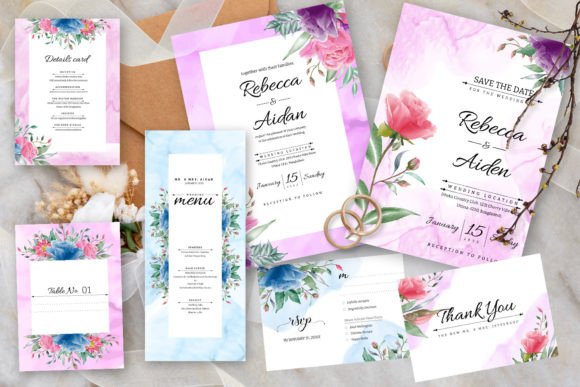
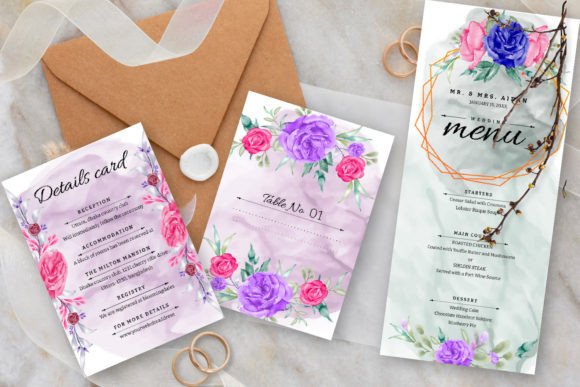
There is a specific moment in wedding planning where the abstract becomes concrete. It happens when you hold the physical invitation in your hand. Before the venue is booked or the dress is fitted, the stationery sets the emotional tone. The Floral Wedding Invitation Graphic template captures that pivotal moment with a blend of artistic watercolor textures and structured elegance. It is more than just a piece of paper; it is a preview of the atmosphere you are building for your guests.
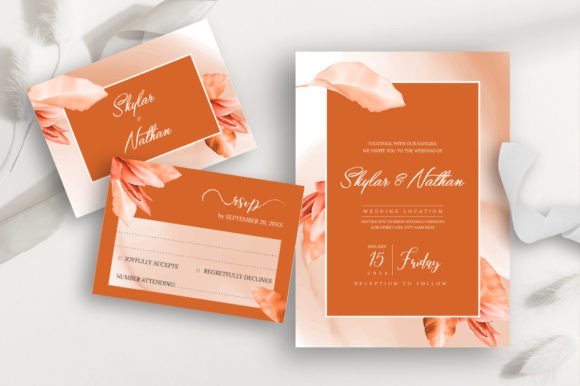
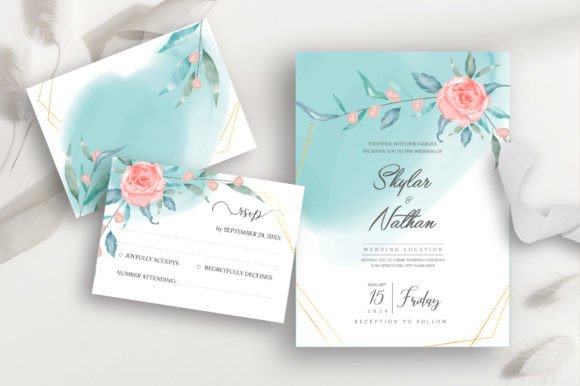
This design asset relies on a visual language that speaks of romance and organic beauty. The "dusty rose" palette is not just a trend; it is a sophisticated neutral that flatters almost every skin tone and wedding aesthetic. It pairs beautifully with the sage and emerald hues of the watercolor greenery leaves. The result is a layout that feels alive, breathing with soft edges and natural movement. When you open the vector file in Adobe Illustrator, you are not just looking at a static image. You are looking at a flexible system. The bleeds are already set for professional printing—5"x7" for the main invite and 3.5"x5" for the RSVP—removing the guesswork for anyone who has never dealt with print production before.
The Versatility of Vector: Why Editable Files Matter
One of the most significant advantages of this specific Floral Wedding Invitation Graphic is the delivery format. By providing EPS files alongside JPGs, the creator has handed over the keys to full customization. In the world of design, a flat JPG is a dead end. You can crop it or apply a filter, but you cannot move the elements. A vector file, however, allows you to manipulate every leaf, every petal, and every curve of the typography.
For the hobbyist or the DIY bride, this means you can tweak the layout to fit your specific wording without worrying about pixelation. For the graphic designer or small business owner, the implications are even broader. You could extract the floral elements to create a cohesive brand identity beyond the wedding day. Imagine using the watercolor leaves to decorate the header of a wedding website, or the dusty rose swatches for social media graphics announcing the registry. Because it is a vector, you can scale these elements up for large signage at the reception or down for tiny favor tags without losing quality.
Setting the Mood: Typography and Visual Hierarchy
A template is only as good as its typography, and this design makes a smart choice by utilizing a free font. This lowers the barrier to entry for users who might not have extensive font libraries. However, the real magic happens when you look at how the text interacts with the watercolor art. The layout relies on strong visual hierarchy. The names of the couple are likely the focal point, commanding attention, while the details are nestled lower, supported by the greenery.
If you decide to edit this template, pay close attention to font pairing. If you swap out the provided typeface, ensure your replacement complements the organic style of the watercolor. A harsh, geometric sans serif font might clash with the soft, flowing nature of the leaves. Conversely, a delicate script font or a timeless serif font usually pairs well with botanical illustrations. The goal is readability. You want the guests to easily find the date and time, not struggle to decipher a decorative typeface.
Practical Applications for Creatives and Businesses
While the primary function is a wedding invitation, the utility of a high-quality floral wedding invitation graphic extends far beyond nuptials. If you are a content creator or a marketing professional, this asset offers a pre-made aesthetic that is difficult to replicate from scratch.
Here are a few practical ways to leverage this design:
- Editorial Design: Use the layout as a mood board cover or a feature page in a lifestyle magazine. The dusty rose and greenery combination is soothing and reads as high-end.
- Packaging Design: If you sell handmade soaps, candles, or jewelry, the watercolor elements can be adapted for product labels. The "elegant" descriptor of the template translates well to luxury goods.
- Web Design: The background textures can be sliced and used as hero images or section dividers on a blog. It adds a touch of modern typography and organic texture to a digital space.
- Print Projects: Beyond the wedding, think about baby shower invites, garden party menus, or high-end restaurant specials. The style is versatile enough to suit any event that requires a soft, sophisticated touch.
Making the Design Your Own
Adopting a premium font or a pre-designed template does not mean sacrificing originality. In fact, it provides a professional foundation that allows you to focus on the details. When you download this package, take the time to inspect the layers in your vector software. Look at how the shadows are created. Notice the color codes used for the dusty rose.
A great strategy for making this template feel unique is to adjust the color balance slightly to match your specific wedding palette. Perhaps your "dusty rose" needs to lean a bit more peach, or your greenery needs a touch more blue to match eucalyptus. Because the files are editable, you have total control. Furthermore, consider the commercial font licensing if you are a designer creating this for a client. Ensure that the free font included allows for the usage you intend. By respecting the asset's structure while injecting your own personality, you transform a generic template into a cherished keepsake. This approach ensures your final product looks expensive and custom-designed, proving that smart use of design assets